
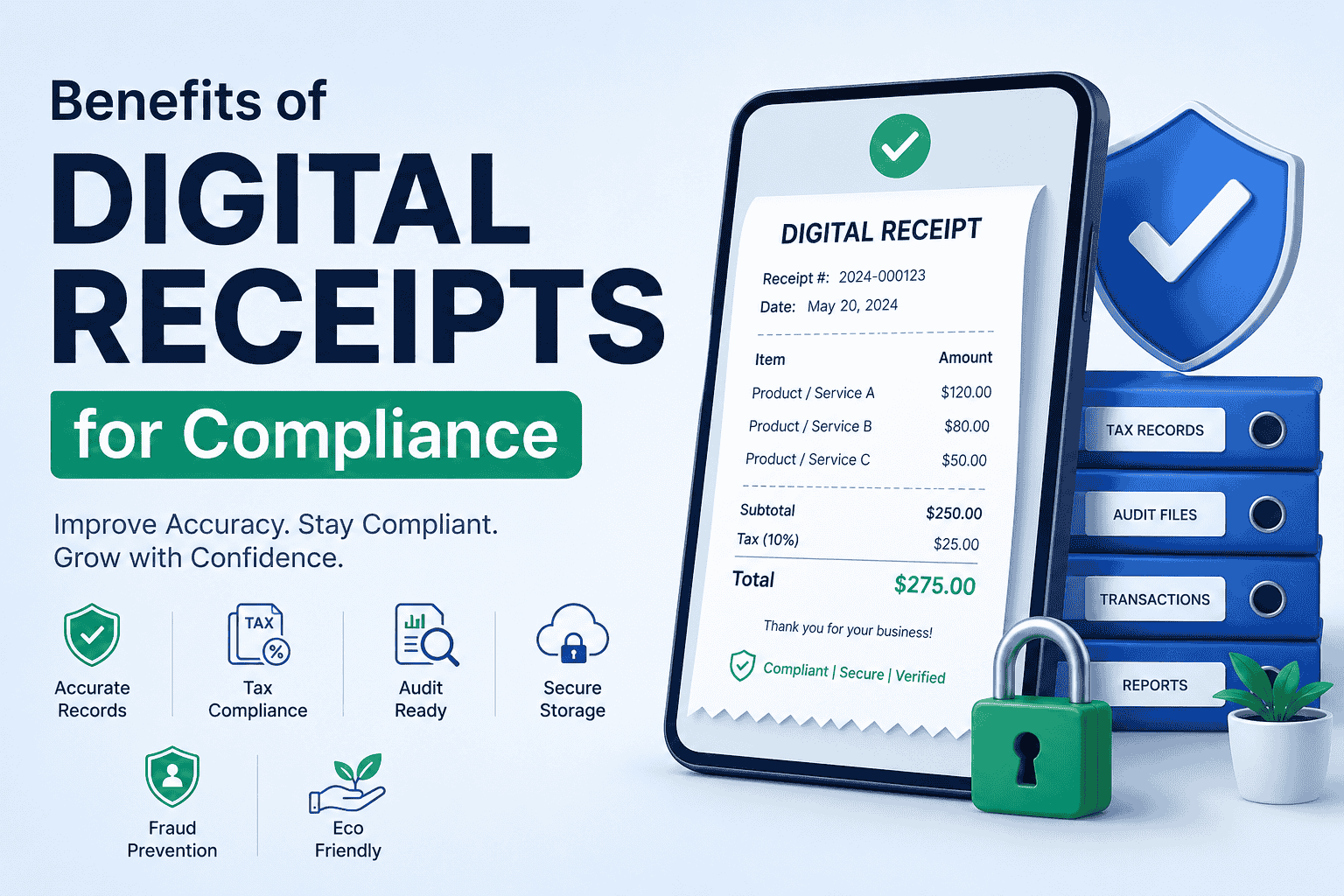
Digital receipts are electronic versions of traditional paper receipts. They are created, stored, and shared digitally through email, PDFs, mobile apps, cloud systems, or online receipt generators.
A digital receipt usually includes:
- Business name and contact information
- Receipt number
- Transaction date
- Purchased products or services
- Payment method
- Taxes and totals
- Customer information
- Authorized signatures or verification details
This guide is general information, not legal or tax advice. Rules vary by country, state, and industry.
Digital Receipt Compliance at a Glance
| Benefit | Compliance need it supports |
|---|---|
| Accurate, standardized records | Tax return and audit support |
| Searchable, backed-up storage | Record retention periods |
| Controlled editing and audit trails | Record integrity rules for electronic systems |
| Masked card numbers | Federal receipt rules for card data |
| Scheduled deletion and access control | Privacy laws such as UK GDPR |
| Digital links to accounting software | Digital record rules such as UK Making Tax Digital |
Are Digital Receipts Accepted as Valid Records?
In general, yes. The IRS says you may use any recordkeeping system suited to your business that clearly shows your income and expenses. For electronic storage, Revenue Procedure 97-22 sets the technical requirements.
Federal law also supports electronic records. Under the E-SIGN Act, a record can’t be denied legal effect solely because it is in electronic form.
10 Key Benefits of Digital Receipts for Compliance
1. Improved Financial Record Accuracy
Paper receipts can be lost, duplicated, or entered incorrectly into accounting systems. Digital receipts reduce these errors.
They improve accuracy by:
- Standardizing transaction records
- Calculating totals and taxes automatically
- Reducing manual data entry
- Keeping receipt formatting consistent
- Preventing missing transaction details
Accurate records make audits and tax filing easier. A tool like Receipt Generator Pro helps you create clear, organized receipts that reduce accounting inconsistencies.
2. Easier Tax Compliance and Record Retention
Tax authorities require you to keep transaction records for set periods. Paper fades, tears, and gets misplaced. Digital copies are easier to store and retrieve.
The IRS publishes how long to keep records:
| Situation | IRS retention period |
|---|---|
| Most situations | 3 years |
| Claiming a credit or refund after filing | 3 years from filing or 2 years from payment, whichever is later |
| Unreported income of more than 25% of gross income | 6 years |
| Bad debt or worthless securities claim | 7 years |
| Employment tax records | At least 4 years after the tax is due or paid, whichever is later |
| No return filed, or a fraudulent return | Indefinitely |
The IRS also says to keep property records until the limitations period ends for the year you dispose of the property. Other countries set their own periods. UK businesses must keep VAT records for at least 6 years, and Canadian businesses must keep records for at least 6 years from the end of the latest year they relate to.
3. Faster Audit Preparation
Audits are stressful when records sit in filing cabinets. Digital systems let you search, filter, and export receipts by date, customer, or receipt number.
The IRS expects electronic systems to support this. Revenue Procedure 97-22 requires an indexing system so records can be identified and retrieved. It also requires an audit trail between your general ledger and the source documents.
Quick access to records also helps during disputes and investigations.
4. Better Data Retention and Storage
Paper storage means physical space, deterioration, and fire or water damage risk. Digital storage reduces these risks through cloud storage, secure backups, and easier organization.
Retention rules still apply to electronic files. Under the E-SIGN Act, an electronic record satisfies a legal retention requirement only if it accurately reflects the original. It must also stay accessible and be reproducible by transmission, printing, or otherwise.
Canada adds format rules. The CRA says electronic records must be in a readable, usable format, and that encrypted or proprietary files must be restorable later.
5. Stronger Fraud Prevention and Record Integrity
Paper receipts are easier to alter or duplicate. Digital receipts improve security through timestamps, unique receipt numbers, PDF generation, and limited editing access.
Revenue Procedure 97-22 requires reasonable controls to protect the integrity and accuracy of electronic records. Those controls must prevent unauthorized creation, alteration, or deletion. Automated records and audit trails help you meet that standard.
This matters most for businesses with high transaction volumes.
6. Better Customer Protection and Safer Card Data
Clear receipts support returns, refunds, and warranty claims. They also reduce disputes because both sides can see what was bought and paid.
Card data adds a legal risk. Under federal law, electronically printed customer receipts may show no more than the last five digits of the card number and must omit the expiration date. That rule covers printed receipts. Masking card details on every digital receipt is still a safe habit.
A good receipt template shows only the last four digits.
7. Easier Privacy Compliance
Receipts contain personal data such as names, emails, and purchase history. Privacy laws limit how long you can keep that data.
The UK ICO says keeping personal data to meet a legal requirement, such as tax or audit rules, isn’t keeping it longer than necessary. It also says you should review data at the end of the retention period, then delete or anonymize it unless you can justify keeping it. Digital systems make scheduled deletion and access control much easier than paper files.
8. Easier Multi-Location Compliance Management
Businesses with several branches often struggle to keep documentation consistent. Digital receipts make it easier to:
- Use the same receipt format everywhere
- Centralize transaction records
- Monitor branch compliance
- Generate unified reports
9. Integration With Accounting Systems
Digital receipts connect to accounting and bookkeeping software. This reduces bookkeeping errors, keeps records in sync, and simplifies reconciliation.
In the UK, this can be required. VAT-registered businesses generally must keep digital VAT records and connect their software with a digital link, unless they’re exempt from Making Tax Digital.
10. Environmental and Policy Goals
Reducing paper isn’t a legal requirement in most places, but many organizations include it in their policies. Some countries are moving in this direction. According to fiskaly’s overview of European rules, France now treats digital receipts as the default, with paper printed only on request.
Digital Receipt Compliance Checklist
Use this list to check your setup:
- Every receipt has a unique number, date, itemized details, taxes, and totals
- Card numbers are masked and expiration dates are left off
- Files are legible and can be retrieved quickly by date, customer, or number
- Records are backed up in more than one place
- Only authorized people can edit receipts, and changes are logged
- Files use common formats that will still open years from now
- You keep records for the required period, then delete personal data you no longer need
- You’ve checked the rules for your country, state, and industry
Digital Receipt Rules by Region
| Region | What to know |
|---|---|
| United States | IRS accepts electronic recordkeeping that meets Rev. Proc. 97-22; retention periods run from 3 years to indefinitely |
| United Kingdom | Keep VAT records at least 6 years; digital records and software links are generally required under Making Tax Digital |
| Canada | Keep records at least 6 years; electronic records must be readable and usable; source documents must also be retained |
| European Union | Rules vary by country. fiskaly notes certified systems in Germany and real-time reporting in Italy |
Limits to Keep in Mind
Going digital doesn’t make you compliant automatically. Records still need to be accurate, complete, retained long enough, and readable years later. Some countries also require certified systems, so check local rules before you switch.
Create Compliant Digital Receipts
Use the Receipt Generator Pro to create clear, consistent receipts. If you also bill clients, try the free invoice generator.
FAQs
What are the benefits of digital receipts for compliance?
Digital receipts keep records accurate, searchable, and protected from loss or tampering. That helps you meet tax retention rules, prepare for audits faster, mask card data, and manage privacy obligations.
Does the IRS accept digital receipts?
Yes, if your electronic system meets the requirements in Rev. Proc. 97-22. Records must be legible, retrievable, protected from unauthorized changes, and kept as long as they may matter for tax administration.
How long should I keep digital receipts?
For most U.S. situations, the IRS says 3 years. Keep them 6 years if you underreported income by more than 25%, and 7 years for bad debt or worthless securities claims. UK VAT and Canadian records generally require at least 6 years.
Can digital receipts be used as legal proof of payment?
Generally, yes. Under the E-SIGN Act, a record can’t be denied legal effect solely because it is electronic. It should still contain the essential transaction details and be stored accurately and securely.
How do digital receipts improve tax compliance?
They store dates, amounts, taxes, and payment methods in one searchable place. This makes it easier to prepare returns, support deductions, and answer questions during a tax review.
How do digital receipts help during audits?
You can search, retrieve, and share records in minutes instead of sorting through paper. Systems with indexing and audit trails also show how receipts connect to your accounting records.
Do digital receipts reduce fraud risk?
Yes. Timestamps, unique receipt numbers, access controls, and activity logs make tampering and duplication harder to do and easier to detect.
Should digital receipts show full card numbers?
No. Federal rules limit electronically printed receipts to the last five digits of the card number and no expiration date. Showing only the last four digits is the safer practice.
Sources
- IRS: How long should I keep records?
- IRS: Recordkeeping
- IRS: Revenue Procedure 97-22
- 15 U.S.C. § 7001 (E-SIGN Act)
- FTC: Credit and debit card receipt rules
- GOV.UK: Keeping VAT records
- Canada Revenue Agency: Electronic record keeping
- UK ICO: Storage limitation
- fiskaly: Digital receipts and European compliance