
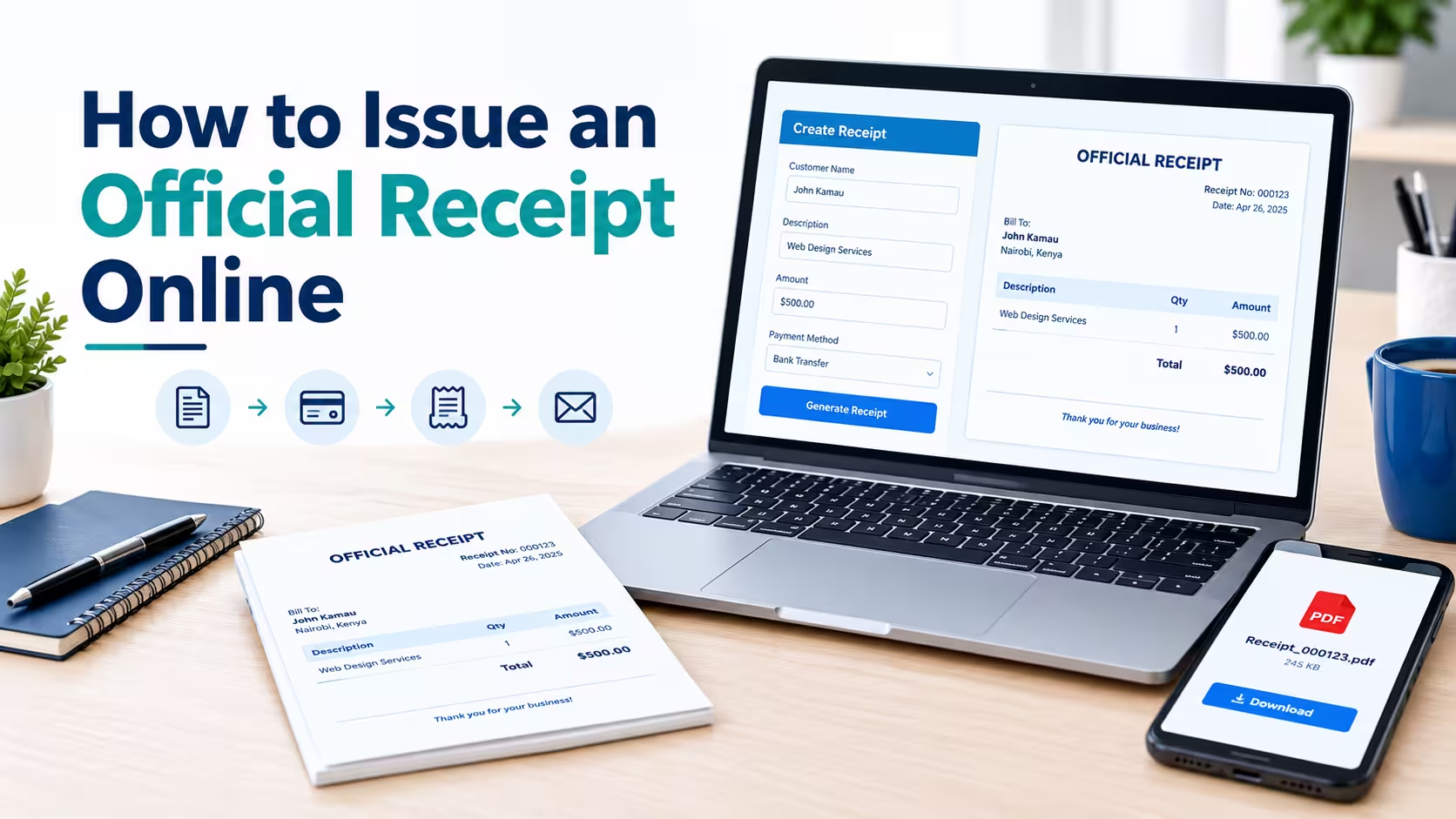
What Is an Official Receipt?
An official receipt is a document issued by a business or service provider to acknowledge that a payment has been received. It typically identifies the seller, customer, transaction date, amount paid, and goods or services covered by the payment.
Businesses use receipts to confirm transactions, maintain financial records, resolve payment disputes, and support accounting activities. The Internal Revenue Service (IRS) identifies receipts, sales slips, invoices, and bank deposit records as examples of supporting documents businesses should retain for their records.
How to Issue an Official Receipt Online in 6 Steps
You can issue a professional receipt online without designing one from scratch. Follow these steps to create, download, and send a receipt to your customer.
Step 1: Choose an Online Receipt Generator
Start by selecting an online receipt generator that allows you to enter your business information, payment details, and customer information. Look for a tool that provides a clear layout, receipt numbering, and a downloadable or printable document.
You can use Receipt Generator Pro to generate professional receipts online. Choose a receipt format that suits your business and the type of transaction you need to document.
Step 2: Enter Your Business Information
Add the details that identify your business or professional practice. These details help customers recognize who received the payment and how to contact you if they have questions.
Depending on your business, include:
- Business name or legal name
- Business address
- Phone number and email address
- Business website, if applicable
- Relevant tax identification or registration details, when required
Use accurate business information and make sure it matches the details used on your other financial documents.
Step 3: Add the Customer and Transaction Details
Enter the customer’s name and any other identifying information needed for the transaction. Add a brief description of the product sold, service provided, or payment received.
For example, a freelance graphic designer might describe the transaction as “Logo Design Services.” A retailer could use “Office Supplies” or list the individual products purchased.
Make the description specific enough that both parties can understand what the payment covers. Avoid including unnecessary sensitive customer information.
Step 4: Record the Payment Details
The payment section should clearly show how much the customer paid and how the payment was made. Enter the transaction date, payment method, and any relevant reference number.
Common payment methods include cash, credit or debit card, bank transfer, and digital payment services. If the customer paid only part of the amount owed, identify the amount actually received and distinguish it from the outstanding balance.
For example:
- Total invoice amount: $500.00
- Amount received: $300.00
- Outstanding balance: $200.00
- Payment status: Partial payment
This distinction prevents a partial-payment receipt from being mistaken for confirmation that the entire invoice has been paid.
Step 5: Generate and Review the Receipt
Review the information before generating the final document. Check the spelling of names, transaction date, receipt number, payment method, currency, and amount.
Make sure the receipt does not contain duplicate charges or incorrect totals. If the tool supports PDF downloads, save a copy of the completed receipt in a secure location.
Step 6: Send the Receipt to Your Customer
Once the receipt is ready, send it to the customer through email or another agreed-upon communication channel. A PDF is often convenient because it preserves the document’s layout and can be opened on most computers and smartphones.
Use a clear filename, such as Receipt-00125.pdf, and include a short message confirming the payment. Keep your own copy so you can retrieve it later for accounting, customer service, or tax preparation.
Benefits of Issuing Receipts Online
Faster Receipt Creation
Online receipt generators reduce the need to design receipts manually for each transaction. Once your business information is ready, you can enter the transaction details and produce a document in a short time.
Better Recordkeeping
Digital receipts can be organized by date, customer, receipt number, or transaction type. This makes it easier to find past payments and compare receipts with bank statements or accounting records.
The IRS recommends keeping supporting documents in an orderly and secure manner because they help substantiate business income and expenses. See its guidance on keeping business records.
Convenient Customer Communication
You can send an electronic receipt without requiring the customer to visit your business to collect a printed copy. Customers can also retain the PDF for their own records.
Consistent Business Branding
A professional receipt can display your business name, contact information, and consistent formatting. This gives customers a clear record of the transaction and helps your business maintain a professional appearance.
Best Practices for Issuing Official Receipts Online
Follow these practices to keep your receipts accurate and useful:
- Use unique receipt numbers. A consistent numbering system helps you identify and retrieve individual transactions.
- Issue receipts promptly. Create the receipt when payment is received or within the required timeframe.
- Record only payments received. Do not mark an invoice as fully paid when the customer has paid only a deposit or installment.
- Keep copies of receipts. Store them securely and organize them so you can retrieve them when needed.
- Protect customer information. Avoid sharing receipts with unauthorized people and limit unnecessary personal information.
- Correct mistakes transparently. If a receipt contains an error, follow an appropriate correction or cancellation process rather than quietly changing the record.
- Check tax requirements. Confirm whether your business must include specific tax information or use an approved invoicing system.
Good recordkeeping is especially important for businesses that process many transactions. A receipt should be part of a reliable financial recordkeeping system, not a replacement for invoices, bank records, or other supporting documents.
Frequently Asked Questions
1. How can I issue an official receipt online for free?
You can use an online receipt generator that offers free receipt creation. Enter your business and customer details, add the payment information, generate the receipt, and download or print the finished document if those features are available.
Check the tool’s current features and terms before using it for your business.
2. Can I issue an official receipt without a receipt book?
Yes. Many businesses can create and maintain electronic receipts instead of using a paper receipt book, provided their chosen recordkeeping method complies with applicable requirements.
Use a consistent numbering system and retain accessible copies of your records.
3. Can I send an official receipt through email or WhatsApp?
Yes, you can send an electronic receipt through email or WhatsApp when that method is appropriate for your business and the recipient. A PDF is often a practical format because it preserves the receipt’s layout.
Keep a copy for your own records and verify that you are sending it to the correct recipient.
4. What is the difference between a receipt and proof of payment?
A receipt is a document issued by the recipient of a payment to acknowledge that money was received. Proof of payment is a broader term that can also include bank statements, transaction confirmations, canceled checks, or other payment records.
Depending on the transaction, more than one document may be needed to substantiate a payment.
5. Can I issue a receipt for a partial payment?
Yes. Record the amount received and identify the payment as partial if the customer still owes money.
For clarity, include the original amount due, the amount received, and the remaining balance when relevant. Do not describe the entire invoice as paid until the full amount has been received.
6. Does an online receipt need a signature?
Not every receipt requires a handwritten signature. Whether a signature or another form of authorization is necessary depends on the type of transaction and the applicable rules.
For ordinary business transactions, accurate business details, payment information, and a reliable transaction record may be sufficient, but you should verify any specific requirements that apply to your situation.
7. How long should I keep online receipts?
The appropriate retention period depends on the type of record and the laws that apply to your business. U.S. businesses should consult the IRS recordkeeping guidance for details about retaining supporting documents.
Keep digital receipts secure, backed up, and accessible for as long as they may be needed for accounting, tax reporting, or resolving disputes.
Conclusion
Issuing an official receipt online is a straightforward way to document customer payments and maintain organized business records. Enter accurate business and transaction details, confirm the amount received, generate the receipt, and send a copy to the customer.
For a convenient way to create professional receipts, visit Receipt Generator Pro. Choose a suitable receipt format, enter the transaction information, and keep a copy of each completed receipt for your records.
Remember that a professional-looking receipt is not automatically a substitute for a tax-compliant invoice or an approved fiscal receipt. Check the rules that apply to your business before issuing receipts for regulated transactions.