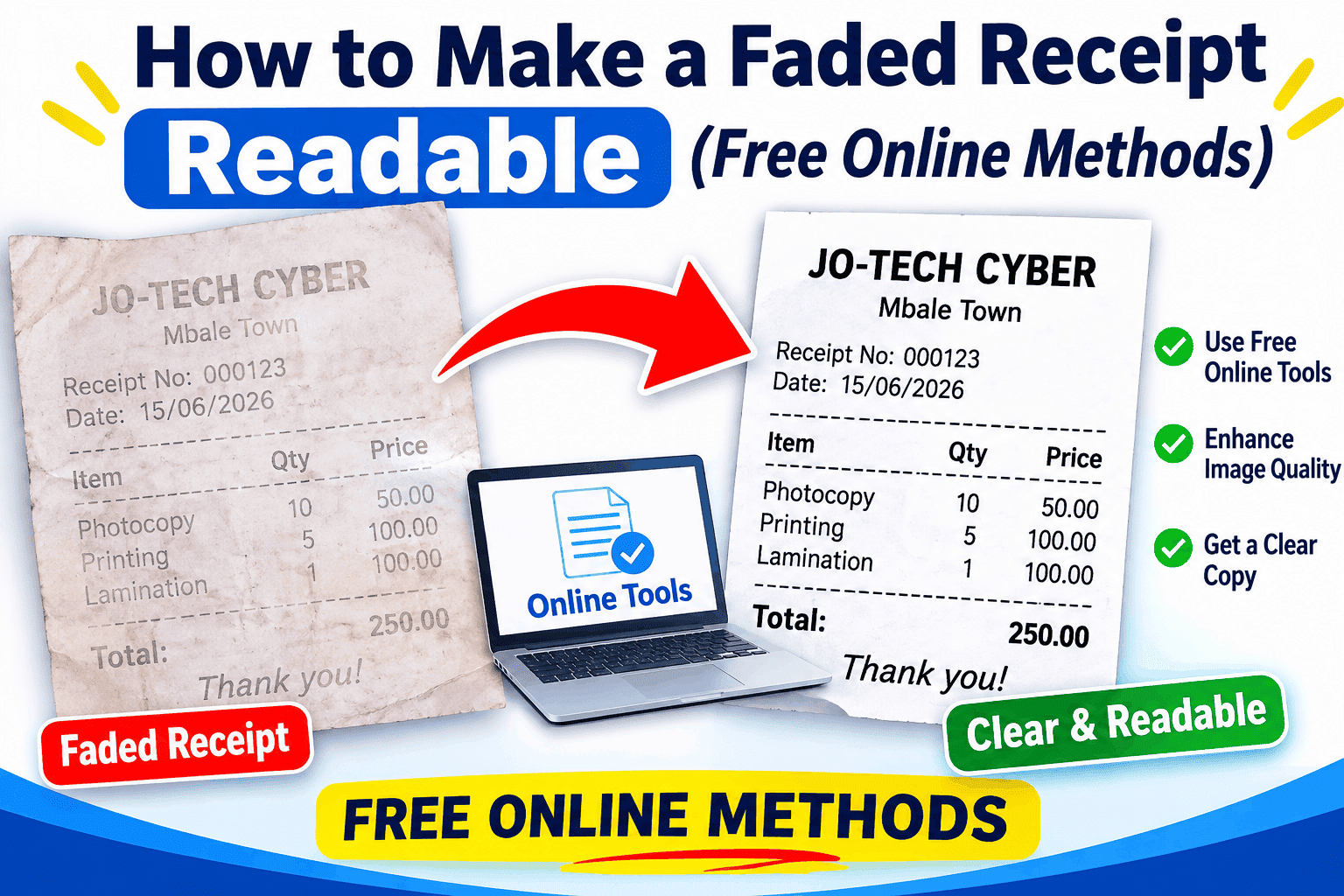
How to Make a Faded Receipt Readable
You can often make a faded receipt readable by photographing it in even light, adjusting a copy of the image, and running it through an optical character recognition (OCR) receipt scanner. These methods can reveal print that is still faintly visible, but they cannot recreate information that has completely disappeared from the paper.
Most store receipts are printed on thermal paper, which uses a heat-sensitive coating instead of ordinary ink. Over time, heat, sunlight, friction, and contact with certain materials can change that coating and make the printed details fade or turn dark.
Restore Faded Receipt Online Free
If you want to restore a faded receipt online for free, start with a clear photo and use an image editor or document-enhancement tool to improve contrast. A receipt scanner with OCR can then attempt to recognize the merchant, date, items, tax, and total. Availability and free-use limits vary by service, so check the tool’s current terms before uploading sensitive records.
1. Photograph the receipt before editing it
Place the receipt on a flat, dark, matte surface so its edges are easy to see. Use bright, even light without glare, hold your phone directly above the paper, and tap the printed area to focus. Take more than one photo and keep the original image unchanged.
2. Improve the image with basic editing
Open a duplicate of the photo in your phone’s editor or a trusted image-editing app. Try converting it to black and white, increasing contrast, lowering brightness slightly, and adjusting highlights or shadows. Make small changes and compare each version with the original; excessive editing can erase thin characters or make paper texture look like text.
3. Try an online receipt scanner or OCR tool
OCR stands for optical character recognition. It analyzes an image and converts recognized characters into searchable or editable text. A receipt-focused scanner may be better than a general text scanner because it is designed to identify fields such as the store name, date, line items, taxes, and final amount.
For example, Tabscanner (https://tabscanner.com/) offers receipt OCR designed to extract structured information from receipt images. It is useful when you need to capture transaction details, particularly across many receipts. It is not a guarantee that every faded character will be recovered, and its processing, pricing, and data-retention terms should be reviewed before use.
You can also try a document scanner with enhancement controls, such as grayscale, sharpen, or contrast adjustment. If a tool uses generative AI, treat its output as a suggestion rather than proof: AI may guess an unclear digit or invent a word. Never copy an uncertain amount into an expense report or tax record without checking it against the original or another source.
4. Use ChatGPT carefully to review the image
An AI assistant such as ChatGPT may help inspect a clear, high-resolution photo and point out which areas appear readable or uncertain. Ask it to transcribe only visible text, mark unclear characters as “[unclear],” and avoid guessing. Compare every important figure with the receipt yourself. Do not rely on AI to reconstruct missing details or create an altered receipt.
5. Save a clean copy and preserve the original
Save the enhanced image as a separate file and keep the unedited photo too. If you use OCR, save the extracted text alongside both images. For business, reimbursement, warranty, or tax records, retain the original paper whenever possible and follow the recordkeeping rules that apply to your situation.
FAQs
Can You Restore a Faded Receipt?
Sometimes. If the characters are still faintly present, better lighting, contrast adjustment, and OCR may make them readable. If the paper has turned uniformly gray or black, or the print has chemically disappeared, software cannot reliably bring the original information back.
A useful distinction is the difference between enhancing and reconstructing. Enhancement makes existing marks easier to see. Reconstruction fills in missing information, which can introduce errors. For evidence of a purchase, use only details you can verify and label any reconstructed notes clearly.
Will ChatGPT make a faded receipt readable?
ChatGPT may help examine a photo or transcribe visible details, but it can misread or guess unclear characters. Ask it to flag uncertain text and verify all dates, totals, and tax amounts against another record before using them.
Do Receipts Fade?
Yes. Many point-of-sale receipts use thermal paper, whose coating reacts to heat to create printed text. Exposure to sunlight, hot vehicles, friction, moisture, oils, and some plastics can accelerate fading or cause the paper to darken.
What If the Receipt Is Completely Unreadable?
Try to obtain a replacement record instead of repeatedly editing the image. Contact the store and provide the approximate purchase date, time, amount, payment method, and any visible receipt or transaction number. The retailer may be able to reprint the receipt or email a copy.
What Not to Do When a Receipt Fades
Do not iron the receipt, use a hair dryer, place it near a heater, or try to warm it to make the print reappear. Thermal paper reacts to heat, and additional heat can darken the entire surface and destroy remaining contrast. Avoid solvents, cleaning products, rubbing, and lamination because they may damage the coating.
Summary
The safest way to make a faded receipt readable is to photograph it first, enhance a copy with careful contrast and grayscale adjustments, and use OCR to extract any text that remains. Tools such as Tabscanner can help organize receipt data, while AI assistants can help review visible text—but neither can reliably restore information that has vanished. If the receipt is beyond recovery, ask the retailer for a duplicate or use a transaction record as supporting evidence.
Create professional receipts in seconds with Receipt Generator Pro