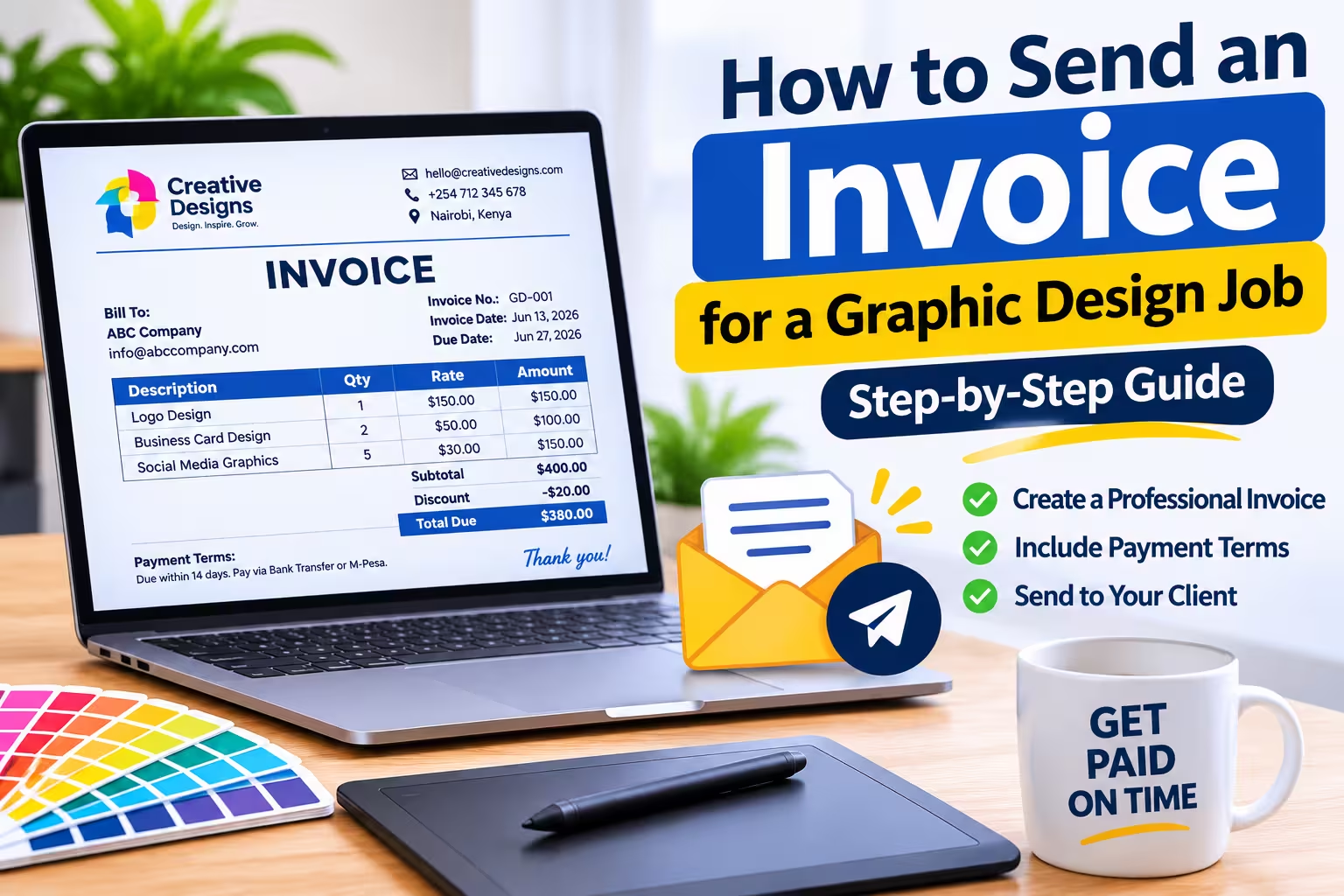
To send an invoice for a graphic design job, create a professional invoice that outlines the design services provided, the agreed price, payment terms, and due date, then send it to your client via email or another agreed communication channel.
Whether you are a freelance graphic designer or run a design agency, sending a clear invoice helps you get paid on time, maintain professional client relationships, and keep accurate financial records.
How to Send an Invoice for a Graphic Design Job
Follow these steps to invoice your graphic design clients correctly.
Step 1: Complete the Graphic Design Job
Before sending an invoice, confirm that you have completed the agreed design work or reached a payment milestone.
For example, your graphic design project may include:
- Logo design and brand identity.
- Business cards and letterhead designs.
- Flyers, posters, and brochures.
- Social media graphics.
- Website banners and graphics.
- Packaging and product label designs.
Check that the delivered work matches the client’s requirements and that any agreed revisions have been completed.
If your contract requires a deposit or milestone payments, you can invoice accordingly without waiting for the entire project to finish.
Step 2: Create a Professional Graphic Design Invoice
Prepare an invoice containing all the necessary billing information. You can create one using Microsoft Word, Excel, Google Docs, or an online invoice generator.
Your graphic design invoice should include the following details:
| Invoice detail | What to include |
|---|---|
| Your business information | Designer’s name, business name, address, email and phone number. |
| Client information | Client’s name, company name and contact details. |
| Invoice number | A unique reference number, such as GD-001. |
| Invoice date | The date you issue the invoice. |
| Description of services | Details of the graphic design work completed. |
| Quantity | Number of designs, items or hours worked. |
| Rate | Price per design, item or working hour. |
| Total amount | The complete amount the client owes. |
| Payment terms | Accepted payment methods and payment deadline. |
Make sure the invoice is easy to read and includes your logo or business branding where appropriate.
Step 3: List the Graphic Design Services Provided
Clearly describe each service you are charging for. Avoid using vague descriptions such as “Design work” or “Graphic services.”
Instead, provide specific descriptions that help the client understand what they are paying for.
For example:
| Description | Quantity | Amount |
|---|---|---|
| Logo design | 1 | $150 |
| Business card design | 2 | $50 |
| Social media graphics | 5 | $100 |
| Total | $300 |
If you charge hourly, include the number of hours worked and your hourly rate.
Clear descriptions reduce misunderstandings and make it easier for clients to approve and process payments.
Step 4: Calculate the Total Amount Due
Add the costs of all graphic design services, including any additional charges agreed upon with the client.
Consider including:
- Design fees.
- Additional revision charges.
- Printing or production costs, if applicable.
- Stock images, fonts or other licensed assets.
- Applicable taxes.
- Discounts agreed upon with the client.
For example, if your design services cost $300 and you offer a $20 discount, the amount due before any applicable taxes is $280.
Always ensure that the final amount matches your original agreement with the client.
Step 5: Include Payment Terms and Due Date
Clearly explain when and how the client should pay.
Common payment arrangements for graphic design projects include:
- Due on receipt: The client should pay immediately after receiving the invoice.
- Net 7: Payment is expected within seven days.
- Net 15: Payment is expected within 15 days.
- Net 30: Payment is expected within 30 days.
- 50% deposit, 50% completion: The client pays half before work begins and the remaining balance upon completion.
Also specify your accepted payment methods, such as bank transfer, mobile money, PayPal or other agreed payment services.
If you are charging in Kenya, for example, you can include your M-Pesa payment details or bank account information.
Step 6: Save the Invoice as a PDF
Once you have completed the invoice, save it as a PDF before sending it to your client.
PDF invoices are recommended because they:
- Preserve the original formatting.
- Look professional on different devices.
- Are easy to download, print and share.
- Reduce accidental changes to invoice details.
Use a descriptive filename, such as:
Invoice-GD-001-ABC-Company.pdf
Double-check the invoice number, client details, total amount and payment information before saving.
Step 7: Send the Invoice to Your Client
Email is one of the most professional ways to send a graphic design invoice.
Attach the PDF invoice and write a short, polite message explaining what the invoice covers and when payment is expected.
Here is an example email you can use:
Hello [Client’s Name],
I hope you are doing well.
Please find attached the invoice for the graphic design services completed for your project.
The total amount due is [Amount], with payment expected by [Due Date].
You can find the payment details and other relevant information in the attached invoice.
Thank you for choosing my graphic design services. I appreciate your business and look forward to working with you again.
Best regards,
[Your Name]
[Business Name]
[Phone Number]
Before sending, confirm that you have attached the correct invoice PDF and used the client’s correct email address.
Step 8: Follow Up on Unpaid Invoices
If the payment deadline passes and you have not received payment, send a polite payment reminder.
Avoid assuming that the client is deliberately delaying payment. They may have overlooked the invoice or need clarification.
For example:
Hello [Client’s Name],
I hope you are doing well.
I’m writing to follow up on invoice GD-001 for the graphic design services provided.
According to the invoice, payment was due on [Due Date]. I would appreciate an update on the payment status.
Please let me know if you need another copy of the invoice or any additional information.
Thank you for your time.
Best regards,
[Your Name]
Keep a record of sent invoices, payment reminders and completed payments for easier financial management.
Tips for Sending Graphic Design Invoices Professionally
- Agree on pricing beforehand: Confirm the project cost before starting the design work.
- Request a deposit: Consider collecting 30%–50% upfront for larger projects.
- Set revision limits: Clearly state how many revisions are included in the agreed price.
- Use unique invoice numbers: This makes tracking and referencing payments easier.
- Send invoices promptly: Invoice immediately after completing the agreed work or reaching a payment milestone.
- Keep payment records: Mark invoices as paid once you receive the money.
- Use consistent branding: Include your business logo, colours and contact information.
Read: Invoice Terms and Conditions: Essential Guide for Clear Payments
Frequently Asked Questions
1. When should a graphic designer send an invoice?
A graphic designer should send an invoice after completing the agreed work, before starting a project when requesting a deposit, or whenever a payment milestone is reached.
2. Should I send an invoice before or after delivering graphic design work?
It depends on your agreement with the client. You can request a deposit before starting, invoice at different project milestones, or send the final invoice after delivering the completed designs.
3. What should I write in an invoice for graphic design services?
Include a clear description of the design services, quantities, prices, total amount, invoice date, due date, client details and payment instructions.
4. Can I send a graphic design invoice through WhatsApp?
Yes. You can send a PDF invoice through WhatsApp if that is convenient for your client. However, email is often preferable for formal business communication and recordkeeping.
Conclusion
Sending an invoice for a graphic design job does not have to be complicated. Create a professional invoice, list the services provided, calculate the total amount, specify payment terms and send the PDF to your client.
Most importantly, establish clear payment agreements before starting any design project to avoid misunderstandings and unnecessary payment delays.
Need to create an invoice quickly? Use our online invoice generator to enter your business details, add graphic design services, calculate the total and generate a professional PDF invoice ready to send to your client.