
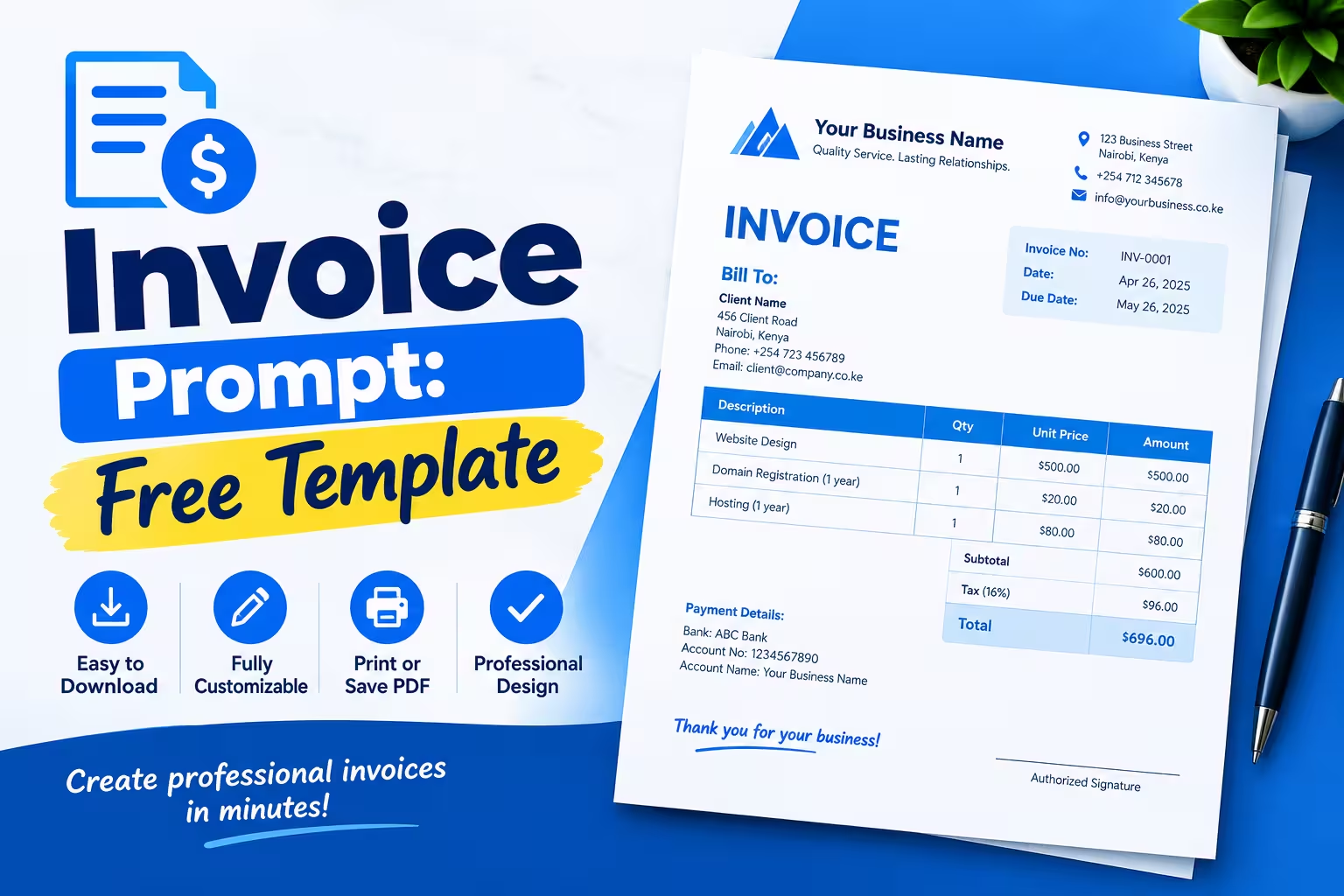
This guide gives you a free invoice prompt template you can copy right now, shows you exactly what fields to include, and flags where AI-generated invoices fall short so you don’t send a client something with a math error in it.
What is an Invoice Prompt
An invoice prompt is a written instruction you give an AI tool like ChatGPT so it generates a complete, formatted invoice from a few details you provide. You type your business name, client info, and line items into the prompt, and the AI returns invoice text you can copy into a document or email.
Why People Use an AI Invoice Prompt
Small business owners turn to AI prompts for invoicing because it’s faster than opening a blank spreadsheet and formatting one from scratch. You describe the job, the AI fills in the structure, and you’re left with something that looks like an invoice in under a minute.
Speed matters here because slow invoicing has a real cost. A 2025 Intuit QuickBooks report found that 56% of US small businesses had outstanding unpaid invoices, with each affected business owed an average of $17,500, and nearly half reported invoices more than 30 days overdue. Getting an invoice out the door quickly is one of the few variables you fully control in that equation.
That said, Xero Small Business Insights data shows businesses that adopted digital invoicing tools got paid meaningfully faster than those still doing it manually. An AI prompt can help you draft the invoice text fast, but the tool you use to actually generate and send it still matters.
Free Invoice Prompt Template (Copy and Paste)
Paste this into ChatGPT, Claude, or any AI chat tool, then fill in the bracketed details:
Act as an invoicing assistant. Create a professional invoice using the details below.
Format it clearly with the business info at the top, an invoice number and date,
a client info block, an itemized table (description, quantity, rate, amount),
subtotal, tax, total due, and payment terms at the bottom.

Business name: [Your business name]
Business address, email, phone: [Your contact details]
Client name and address: [Client details]
Invoice number: [e.g., INV-1001]
Invoice date: [Date]
Due date: [Date or "Net 30"]
Line items: [Description, quantity, rate for each item or service]
Tax rate (if any): [%]
Payment instructions: [Bank transfer, PayPal, check, etc.]
Notes: [Optional — late fee terms, thank-you note, etc.]
This is the base invoice prompt template. Swap the notes line for project-specific language, or ask the AI to “make this invoice prompt template shorter” if you only need the essentials.
How to Use an Invoice Prompt Step by Step
- Gather your details first. Have your business info, the client’s info, and your itemized charges ready before you open the AI chat. This avoids back-and-forth edits.
- Paste the free invoice prompt above and fill in every bracket. Leaving fields blank is the most common reason AI-generated invoices come back incomplete.
- Ask the AI to double-check the math. Request that it re-add the line items and confirm the total before you copy the output — this catches most arithmetic slips.
- Copy the result into a document or your invoicing tool. AI chat output isn’t a real, downloadable invoice file on its own; you still need to move it into something you can send as a PDF.
- Proofread for tone and accuracy. AI tools sometimes invent placeholder text (a fake PO number or an incorrect date format) if a field was ambiguous — check every line before sending.
What a Complete Invoice Needs, With or Without AI
Whether you write it yourself or generate it with a prompt, every invoice needs the same core fields to be usable and to hold up if a client — or your accountant — ever questions it:
- Your business name, address, and contact details
- The client’s name and contact details
- A unique invoice number
- The invoice date and payment due date
- An itemized list of products or services, with quantity and rate
- Subtotal, tax (if applicable), and total amount due
- Accepted payment methods and any late-payment terms
These fields aren’t arbitrary — standard small business invoicing guidance and the recordkeeping requirements your accountant works from both point to the same list, because a missing invoice number or unclear line item is what makes an invoice hard to trace back to a payment during tax season. If you’re not sure when to set a due date, our Free Invoice Due Date Calculator works out a fair due date based on your payment terms.
Where AI Invoice Prompts Fall Short
An invoice prompt is genuinely useful for drafting the layout and wording fast, but it has real limits you should plan around before you trust it with real client billing.
AI tools are unreliable at math. Large language models predict text patterns rather than run actual calculations, which is why users on OpenAI’s own developer community routinely report wrong sums, totals, and tax math from chat-based AI tools — the model predicts a plausible-looking answer instead of actually computing one. Always re-check subtotals, tax, and the final total by hand or with a calculator before sending anything an AI drafted.
There’s no downloadable file, tracking, or history. ChatGPT gives you text you have to copy, format, and save yourself. There’s no invoice numbering system, no record of what you’ve sent, and no way to see if a client opened it.
It won’t remember your branding or past clients. Every new invoice prompt starts from zero unless you re-paste all your details, which slows you back down and increases the chance of copy-paste errors — like the wrong client name pulled from a previous chat.
A Faster, More Reliable Option: Skip the Prompt
If you invoice more than occasionally, a dedicated invoice tool solves every one of the gaps above: the math is calculated for you, your business details are saved, and you get a real downloadable invoice instead of chat text to reformat.
Our free invoice generator lets you build a custom invoice with your logo, line items, and tax automatically calculated — no prompt engineering, no manual math, no copy-paste. It takes about the same amount of time as writing a good AI prompt, but you walk away with a finished, downloadable invoice instead of raw text.
FAQs
Can ChatGPT generate an invoice?
Yes. ChatGPT can generate invoice text — the layout, wording, and structure — when you give it a prompt with your business, client, and line-item details. It cannot produce a downloadable invoice file on its own, and you should manually verify any totals it calculates before sending the invoice to a client.
Can I use AI to create invoices?
Yes, AI tools like ChatGPT are commonly used to draft invoice wording and formatting quickly. For anything beyond a one-off, a dedicated invoice generator is more reliable because it calculates totals automatically, saves your business details, and produces a real file you can send or download.
How do I generate my own invoice?
You can generate your own invoice by using an AI prompt to draft the text, a spreadsheet template, or a free online invoice generator. The fastest and most accurate route is a dedicated tool like our free invoice generator, which builds a formatted, downloadable invoice from your details in a few clicks.
Does Google have a free invoice generator?
Google doesn’t offer a dedicated invoice generator, but Google Docs and Google Sheets both have invoice templates you can fill in manually. These require you to build the formulas and formatting yourself, which is why many small businesses use a purpose-built free invoice generator instead.