
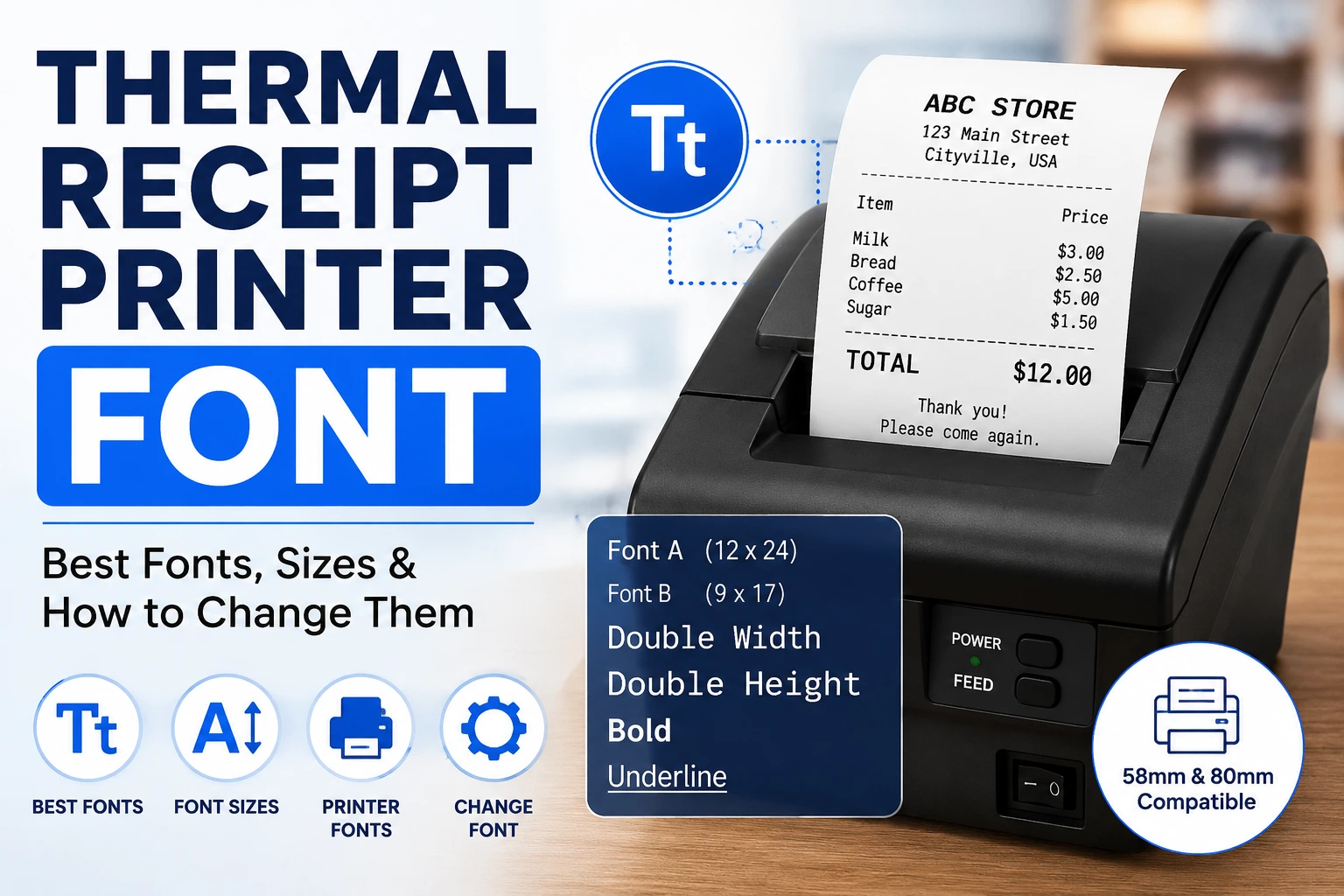
A thermal receipt printer font is the typeface and character style used when printing receipts, invoices, tickets, labels, and other point-of-sale documents on thermal paper.
Unlike a regular office printer, many thermal receipt printers use built-in fonts and printer commands rather than relying entirely on fonts installed on your computer.
If your receipt looks too small, too wide, bold, or difficult to read, choosing the right font and print size can make a significant difference.
What Font Does a Thermal Receipt Printer Use?
There is no single universal thermal receipt printer font.
The available fonts depend on the printer model, driver, and printing system. For example, several Epson TM receipt printers provide built-in Font A and Font B options.
On the Epson TM-T88VI, Font A is the default 12 × 24-dot font, while Font B is 9 × 17 dots. The printer also supports different character capacities depending on whether 58 mm or 80 mm paper is used.
This means that what looks like a particular “receipt font” may actually be a printer’s built-in bitmap font rather than a standard Windows font such as Arial or Times New Roman.
What is the Standard Receipt Printer Font?
For many ESC/POS-compatible thermal receipt printers, the standard built-in font is commonly referred to as Font A.
Epson, one of the major POS printer manufacturers, lists Font A as the default font on several TM-series receipt printers. For example, the TM-T88VI uses a 12 × 24-dot Font A and a smaller 9 × 17-dot Font B.
However, you should not assume that every thermal printer uses exactly the same font.
Different manufacturers and models can have different fonts, character sets, sizes, and printing capabilities.
Thermal Receipt Printer Font Size
Font size is particularly important because receipt paper is narrow.
For example, Epson’s TM-T88VI specifies Font A at approximately 1.41 × 3.39 mm and Font B at approximately 0.99 × 2.40 mm.
The printer also supports different numbers of characters per line depending on the font and paper width.
A typical 80 mm receipt printer may support around 42 to 56 characters per line, depending on the printer and font configuration.
This is why simply choosing a very large font can cause product names, prices, and totals to wrap onto additional lines.
58mm vs 80mm Thermal Printer Fonts
Paper width affects how your receipt font should be configured.
58mm Thermal Receipt Printer
58 mm printers have a narrower printable area.
They are commonly used for small retail receipts, mobile POS systems, kiosks, and compact cash registers.
Because the available space is limited, a smaller font or fewer characters per line may be necessary.
80mm Thermal Receipt Printer
80 mm printers provide considerably more horizontal space.
They are widely used for retail stores, restaurants, supermarkets, pharmacies, and other POS environments.
For example, Epson lists different column capacities for its TM-T88VI depending on whether the printer uses 58 mm or 80 mm media.
Best Thermal Receipt Font for Different Uses
| Use | Recommended approach |
|---|---|
| Product names | Regular printer font |
| Prices | Clear monospaced font |
| Total amount | Larger/bold printer font |
| Store name | Larger or emphasized text |
| Receipt number | Compact monospaced font |
| Dates | Regular compact font |
| Tax information | Small but readable font |
| QR/barcode labels | Clear text with adequate spacing |
| 58mm receipts | Compact font |
| 80mm receipts | Standard or larger font |
Thermal Receipt Font for Receipt Templates
If you are creating a receipt template in Microsoft Word, you have more control over the typeface.
For a traditional receipt appearance, Courier New is a practical option because its characters have equal widths.
For example:
        ABC STORE
     123 Main Street
   --------------------
Item              Price
Milk              $3.00
Bread             $2.50
Coffee            $5.00
   --------------------
TOTAL            $10.50
A monospaced font makes it easier to align product descriptions and prices.
However, if the template will eventually be printed directly through a POS thermal printer, test the actual printed result rather than relying only on the Word preview.
Note: For a reliable manufacturer reference, see Epson’s official TM-T88VI thermal receipt printer specifications, which documents its built-in fonts, character sizes, and column capacities. Epson also provides technical documentation covering ESC/POS font and character-size commands.
Also Read: Best Receipt Fonts Free Download
Frequently Asked Questions
What is the font used on receipt printers?
There is no universal receipt-printer font. Many POS thermal printers use built-in fonts, such as Font A and Font B on various Epson TM models.
Can I use custom fonts on a thermal printer?
Some thermal printers support additional fonts or downloadable/custom character sets, but capabilities vary by model. Check the manufacturer’s technical documentation before designing around a custom font.
Why is my thermal printer printing tiny text?
Your software may be using a smaller printer font, a smaller character mode, or a different print scale. Check the POS software, printer driver, and printer configuration.
Final Thoughts
Choosing the right thermal receipt printer font is less about finding one perfect typeface and more about matching the font to your printer, paper width, software, and printing method.
For direct POS printing, check the printer’s native fonts and ESC/POS capabilities. For receipt templates created in Word or similar software, a clean monospaced font such as Courier New can provide the familiar receipt appearance.
If you are developing a receipt-printing application, the printer’s technical documentation should be your final reference because font sizes, character sets, and supported commands vary between models.