
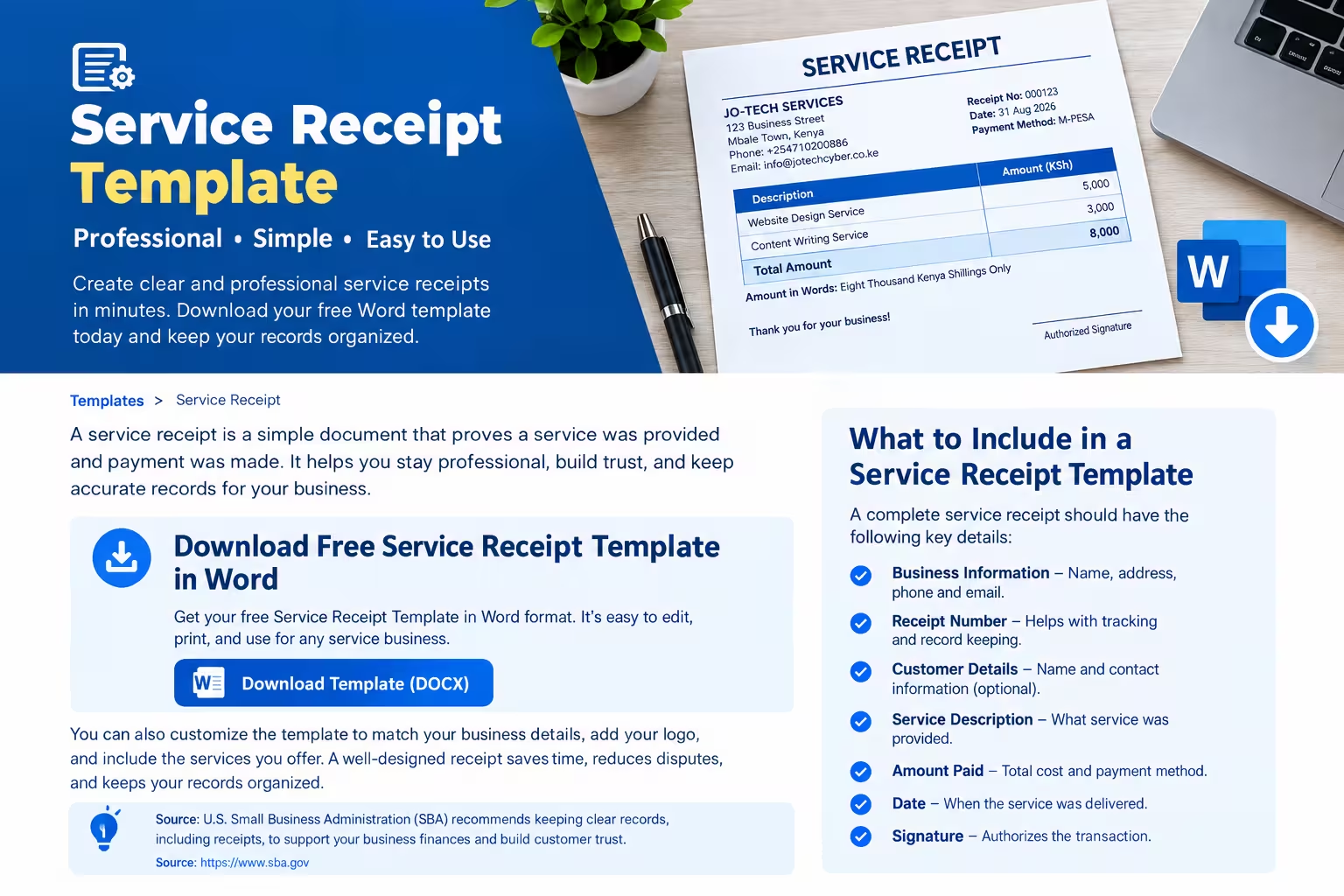
This service receipt template is a ready-to-use document that businesses and independent service providers can use to acknowledge payments from customers.
Download Free Service Receipt Template in Word
Looking for a simple service receipt template you can edit and print? Download the free Microsoft Word template below and customize it with your business name, customer information, services, and payment details.
The template includes spaces for business details, customer information, service descriptions, payment methods, amounts, and receipt numbers. You can open it in Microsoft Word, replace the sample fields with your information, and print or save the completed receipt.
What to Include in a Service Receipt Template
1. Business Information
Include your business name, address, phone number, email address, and logo if applicable. This helps customers identify the service provider and contact the business when necessary.
2. Receipt Number
Assign a unique receipt number to every transaction. Sequential numbering makes it easier to locate payment records and identify missing receipts.
3. Receipt Date
Add the date when the payment was received. If the service was completed on a different date, you can include the service date separately.
4. Customer Information
Record the customer’s name and contact details when appropriate. Customer information is especially useful for repeat services, business transactions, and payment follow-ups.
5. Description of Services
Clearly describe the services provided or paid for. Avoid vague descriptions such as “services rendered” when you can provide more detail.
6. Service Quantity and Rate
Include the number of hours, sessions, units, or other measurable service quantities when applicable. Then record the rate charged for each service.
7. Total Amount Paid
Show the total amount received from the customer. If applicable, include the subtotal, discount, taxes, additional charges, and final total.
Make sure the amount on the receipt matches the actual payment received.
8. Payment Method
Specify how the customer paid.
9. Payment Status
Indicate whether the customer has paid in full or made only a partial payment.
Useful payment status labels include:
- Paid in full
- Partially paid
- Balance due
A receipt should accurately reflect the payment status rather than imply that an unpaid balance has been settled.
10. Notes and Authorization
Add any relevant notes, service terms, or payment conditions. A business may also include the name or signature of the person who received the payment.
A signature is useful for internal procedures, although its necessity depends on the business and applicable requirements.
Final Thoughts
A service receipt template provides a simple way to document customer payments and maintain organized business records. The free Word template above can be customized for different service businesses and used for everyday transactions.
For more receipt templates and online receipt tools, visit ReceiptGeneratorPro.com.