
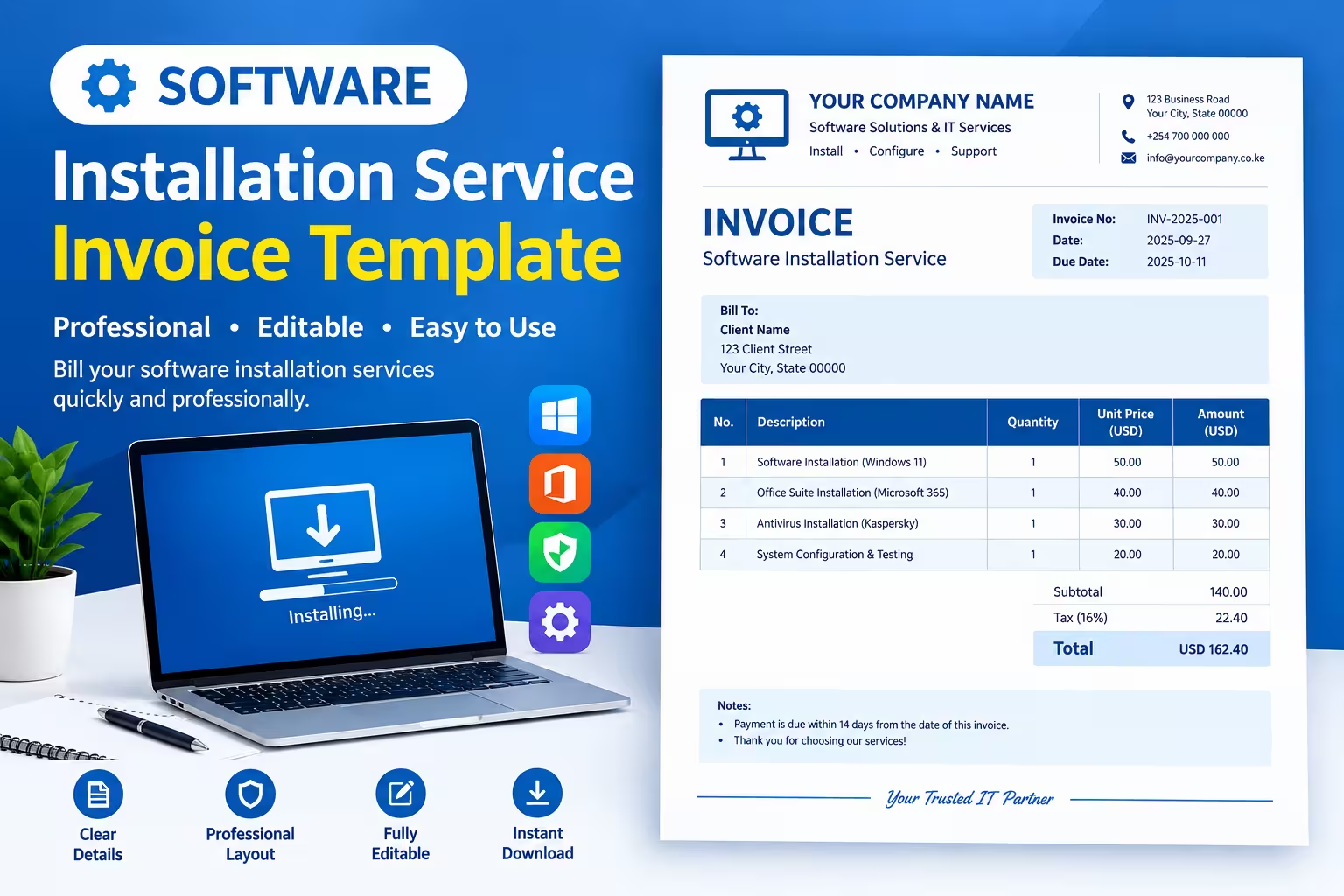
A software installation service invoice is a billing document that lists the installation, setup, or configuration work you did and the amount the client owes. If you install software for a living — on PCs, servers, or mobile devices — this free Word template lets you invoice a client in under five minutes.
Below, you’ll find a downloadable, editable Word file, a breakdown of what’s included, and answers to common questions about billing for this type of service.
Download Software Installation Service Invoice Template
The template above is a .docx file you can open in Microsoft Word, Google Docs, or LibreOffice. It’s fully editable — replace the bracketed placeholders with your business details, client information, and pricing, then save or export as a PDF before sending it.
This same layout works whether you’re billing for a single home visit or a recurring IT support contract. No sign-up or email required to use it.
What’s Included in the Template
The invoice is built around the fields clients and accountants actually look for, so nothing needs to be added later.
Business and client details. Fields for your company name, address, and contact info, plus a matching block for the client’s billing information.
Invoice metadata. An invoice number, issue date, and due date, so both sides can track the transaction and avoid payment disputes.
Service location and device info. Space to note whether the work was done on-site or remotely, along with a device ID and operating system — useful for warranty or follow-up support claims.
Itemized line items. A table for listing each task (installation, configuration, license activation, data migration, support visits) with quantity, rate, hours, and amount, so the client sees exactly what they’re paying for.
Totals section. Subtotal, tax, discount, and a clearly highlighted total due, calculated the way most small-business invoices are structured.
Payment method and terms. Checkboxes for cash, check, bank transfer, or card, plus a notes area for late-fee policies, warranty periods, or licensing terms.
This structure also works for related services — PC software installation, mobile app installation, driver or firmware installs, or software upgrades — since the line-item table adapts to whatever task you performed.
FAQs
Can I use this template for a receipt instead of an invoice?
Yes. An invoice requests payment; a receipt confirms payment was received. To convert this template into a receipt, just add a “Paid” stamp or a payment confirmation line with the date and method received.
What should I charge for software installation services?
Rates vary by region and complexity, but most independent techs charge either a flat fee per installation ($25–$75) or an hourly rate ($40–$100+). Check local competitor pricing before setting yours.
Do I need to charge sales tax on software installation labor?
It depends on your state or country — some tax labor services, others don’t. Check with your local tax authority or accountant, since this varies even within the same country.
Summary
This free Word template covers everything needed to bill for software installation work — client details, itemized services, totals, and payment terms. It’s editable, printable, and flexible enough for one-time installs or ongoing support contracts. Download it, customize the highlighted fields, and start invoicing.
Related Invoice Templates
Freelance Video Editor Invoice Template
Social Media Management Invoice Template