
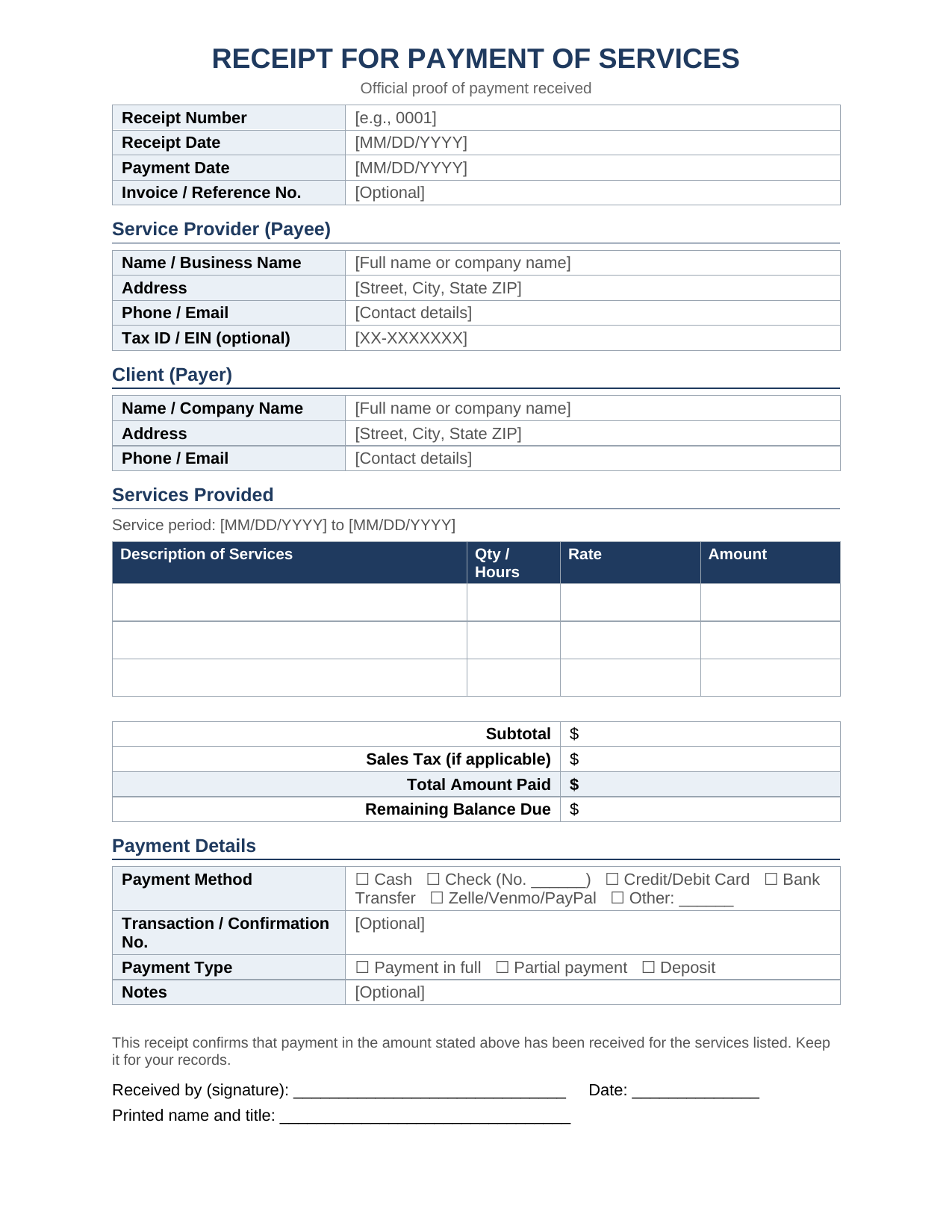
Need a receipt for payment of services for a freelance job, repair, or consulting fee? Use this editable template to record who paid, how much, and what the payment covered. Download it in Word format.
What this receipt template is for
This template is designed for freelancers, contractors, small business owners, and service providers who need to confirm that a client has paid. It helps record the payment amount, the services provided, and the payment method.
What is a receipt for payment of services?
A receipt for payment of services is a written record that confirms a client paid for work you performed. It shows the date, the amount, the payer, the payee, and what the payment covered.
Unlike an invoice, which asks for payment, a receipt proves payment already happened. Both sides should keep a copy.
What to include on a service payment receipt
A complete receipt leaves no room for disputes. Include these details:
- Receipt number: A unique, sequential number for tracking.
- Date of receipt and date of payment: These can differ, especially with checks.
- Provider and client information: Names, addresses, phone numbers, and emails.
- Description of services: What was done, the service period, and the hours or quantity.
- Amount paid: The subtotal, any sales tax, and the total.
- Payment method: Cash, check, card, bank transfer, or a payment app.
- Balance due: Show $0.00 if paid in full, or the remaining amount if partial.
- Signature: The provider’s signature or authorized name.
How to fill out the receipt template
Follow these steps to complete the template in a few minutes:
- Download and open the file in Microsoft Word, or any editor that supports .docx.
- Enter your business details in the Service Provider section.
- Add the client’s information in the Client section.
- List each service with quantity or hours, rate, and amount.
- Calculate the totals, including tax if your state requires it.
- Check the payment method and type (full, partial, or deposit).
- Sign, date, and save a copy as a PDF before sending.
Keep your receipt numbers in order. Gaps or duplicates make bookkeeping and audits harder.
When should you give a receipt for services?
Issue a receipt any time a client pays you, even if they don’t ask. This applies to:
- Cash payments, which otherwise leave no paper trail.
- Deposits and partial payments.
- One-time jobs such as repairs, tutoring, or cleaning.
- Recurring services such as monthly consulting or bookkeeping.
Why receipts matter for your business
A receipt protects both parties. It gives the client proof of payment for their records or expense reports. It also gives you documentation of income for tax purposes.
The IRS expects you to keep records that support income and deductions. Receipts are a simple way to meet that expectation. Check current IRS guidance or ask a tax professional about how long to keep them.
Tips for professional receipts
- Be specific. “Website design, 10 hours” beats “services.”
- Match the invoice. Use the same names and amounts to avoid confusion.
- Send it promptly. Issue the receipt the same day you get paid.
- Store digital copies. Save PDFs in a labeled folder by year and client.
- Note partial payments clearly. Show the amount paid and the balance still owed.
Frequently asked questions
Is a receipt for services legally required?
Federal law doesn’t generally require you to issue one, but some states and industries do. Receipts are strongly recommended anyway because they serve as proof of payment. Check your state’s rules or consult a professional if unsure.
Can I write a receipt by hand?
Yes. A handwritten receipt is valid if it includes the date, amount, parties, services, and a signature. A typed template looks more professional and is easier to store.
What is the difference between a payment receipt and a sales receipt?
A sales receipt usually covers goods sold at the point of purchase. A service payment receipt documents payment for work performed, often with hours, rates, and a service period.
Can I use this template for partial payments or deposits?
Yes. Check “Partial payment” or “Deposit” in the Payment Details section and enter the remaining balance.
What format should I send the receipt in?
Send a PDF so the details can’t be edited accidentally. Keep the Word version for future edits.
Final thoughts
A clear receipt for payment of services takes minutes to create and prevents payment disputes later. Download the free Word template above, fill in your details, and save a copy for your records.
Related Receipt Templates
Global Entry Receipt Templates